12 values ready to enterfrom the window schedule · you approve
The data is in the documents,and retyping ittakes an evening.
The building design, the window schedule, the energy performance certificate - everything the calculation needs already exists. In three files, to be retyped field by field.
✕Three files, one tabledimensions from the plan, windows from the schedule, elements from the certificate - each retyped by hand
✕The answer is in the projecthow thick is this wall, which window is the largest - and clicking through tabs to find out
✕A mistake only shows in the resultone wrong value, the room's loss does not add up, and nobody knows which field
How Algo AIworks with you.
1 / 5
What Algo AI does,and what it does not.
Reads the design, the window schedule and the certificate.
PDFs and photos, up to five files and 20 MB at once. It takes the rooms with their names and areas from the plan, the building elements from the sections and the description, windows and doors from the schedule - and in the heat loss calculation it places them in the rooms' walls.
Nothing enters the calculation without you.
Values read from a document are a proposal until you approve them. A value you have already entered is not replaced without asking.
Answers from your project's data.
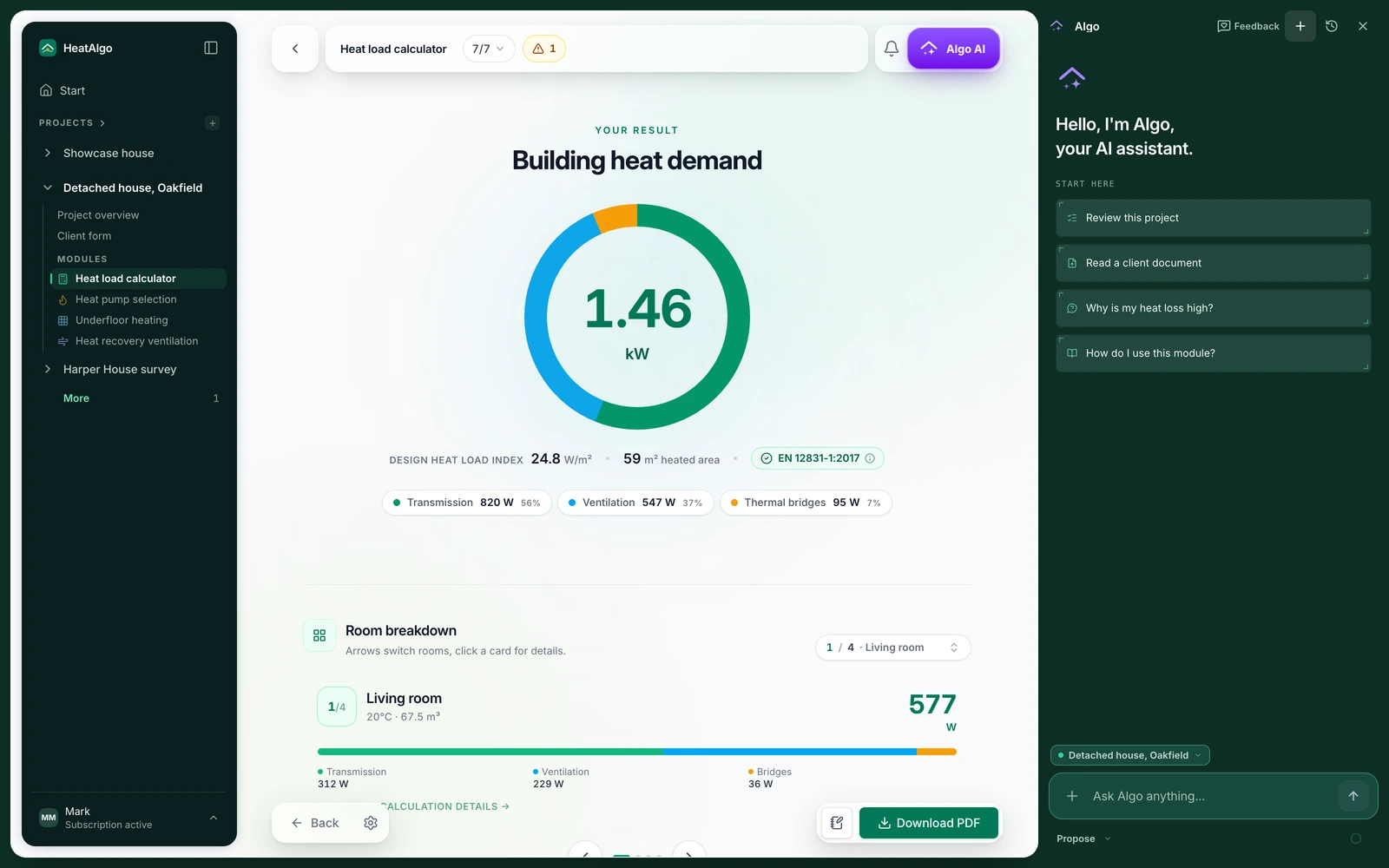
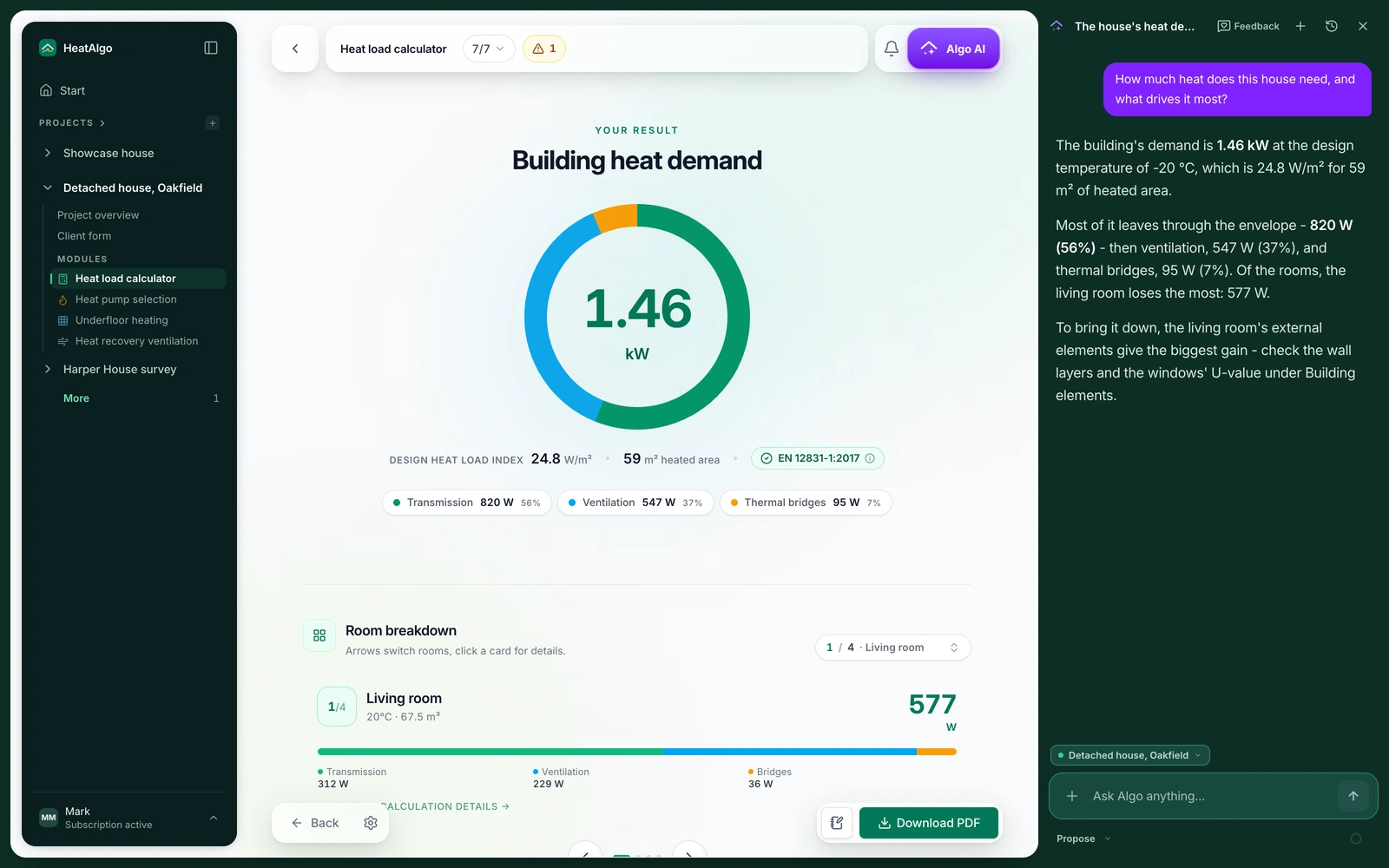
Not from general knowledge of the standard but from the elements, the rooms and every module's results and findings - the ones you see on screen. It answers in the language you write in. Data identifying your client is not sent to the model.
Every note leads to a field.
The project check lists things to check and things to consider. Click a note and you are in the field it is about - in the heat loss, the heat pump sizing, the heat recovery.
Undo any change for 30 days.
Before Algo AI changes a value on your instruction, a copy of the previous project version is saved. The change is listed in the conversation with an Undo button and what was there before.
Never calculates the heat loss.
The calculation is always done by the algorithm, to EN 12831-1 (ISO 6946, ISO 13370). Algo AI reads, proposes, answers and checks - the numbers are the algorithm's.
With Algo AIand without.
By hand, from three files
✕PriceYour evening
✕Data from documentsRetyped field by field
✕A question about the projectClicking through tabs
✕The checkThe result is off and you look for where
✕Changing a valueBy hand, without a trace
✕Who calculatesAlways the algorithm, to EN 12831-1
HeatAlgo with Algo AI
✓PriceA free account, a report from €19 incl. VAT - Algo AI is part of the app
✓Data from documentsRead and proposed for the form
✓A question about the projectAn answer from the project's data, in the conversation
✓The checkNotes, each leading to a field
✓Changing a valueOn instruction, with Undo for 30 days
✓Who calculatesAlways the algorithm, to EN 12831-1
No. Values read from documents are a proposal until you approve them. Algo AI changes a value you name only on your explicit instruction - then it lists the change and gives you an Undo button for 30 days. In Propose mode you approve that change too, before it is saved.
Never. The heat loss is always calculated by the algorithm, to EN 12831-1 (ISO 6946, ISO 13370). Algo AI reads, proposes, answers and checks - it does not touch the arithmetic.
Files attached in a conversation about a project are stored for the reading and deleted after 24 hours, and the reading's result after 30 days at the latest. Only what you approve stays, with the confirmed storeys' plans as the underlay. Documents are read by an AI model on OpenAI's platform in the US, through OpenRouter, under a data processing agreement; client data in the project is not sent. Details: the privacy policy, section 4.
All four. It saves values on instruction in every one of them. In underfloor heating it reads the rooms, doors and windows from an uploaded plan. The algorithm draws and calculates the rest, with no AI model: the loops, the supply runs to the manifold by the shortest way through the doors, the manifolds on a storey that has none, and each loop's pressure drop. You review the drawing and apply.
A reading uses the same monthly Algo AI limit as the chat and does not use a report. The limit grows once you buy a report and is largest with a subscription; when it is used up, Algo AI says so before the start. One reading also fills heat pump sizing and heat recovery ventilation at no extra cost. One account can run up to 10 readings per 24 hours.