
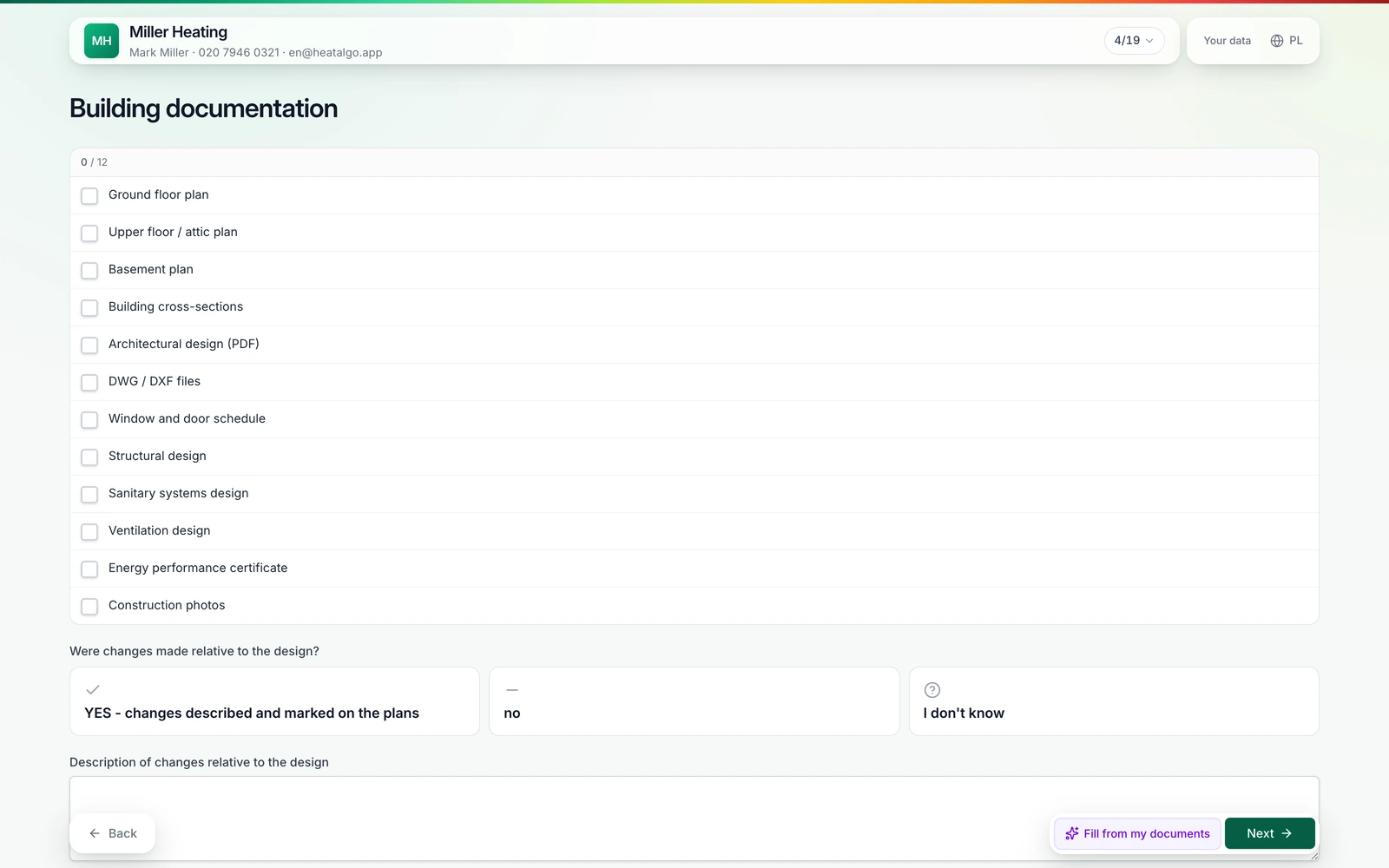
No sign-up and no password. The client opens the link on their phone or computer, answers save themselves, and they can stop and come back later.
Product
Algo AI, the assistantAIReads documents, answers, checksHeat loss calculatorHeat loss per EN 12831-1Heat recoveryBetaAir flows and balance to PN-83/B-03430Underfloor heatingLoop design on the floor plan with calculationsHeat pump selectionPreliminary power sizingClient formClient data without phone callsThe client fills in the form themselves, at their own pace - and you review and accept the submission before it enters the project.
What it is
The client form is a tool in the HeatAlgo app that collects calculation data straight from the client. Instead of calling around for wall dimensions and window types, you send a link - the client fills in the form at their own pace, and you get the full set of answers to review.
Before you can calculate the heat loss, you need dozens of numbers: room dimensions, wall construction, window types, heat source. Until now that meant phone calls, emails and site visits before you even opened the calculator.
How it works
You send the form to the client
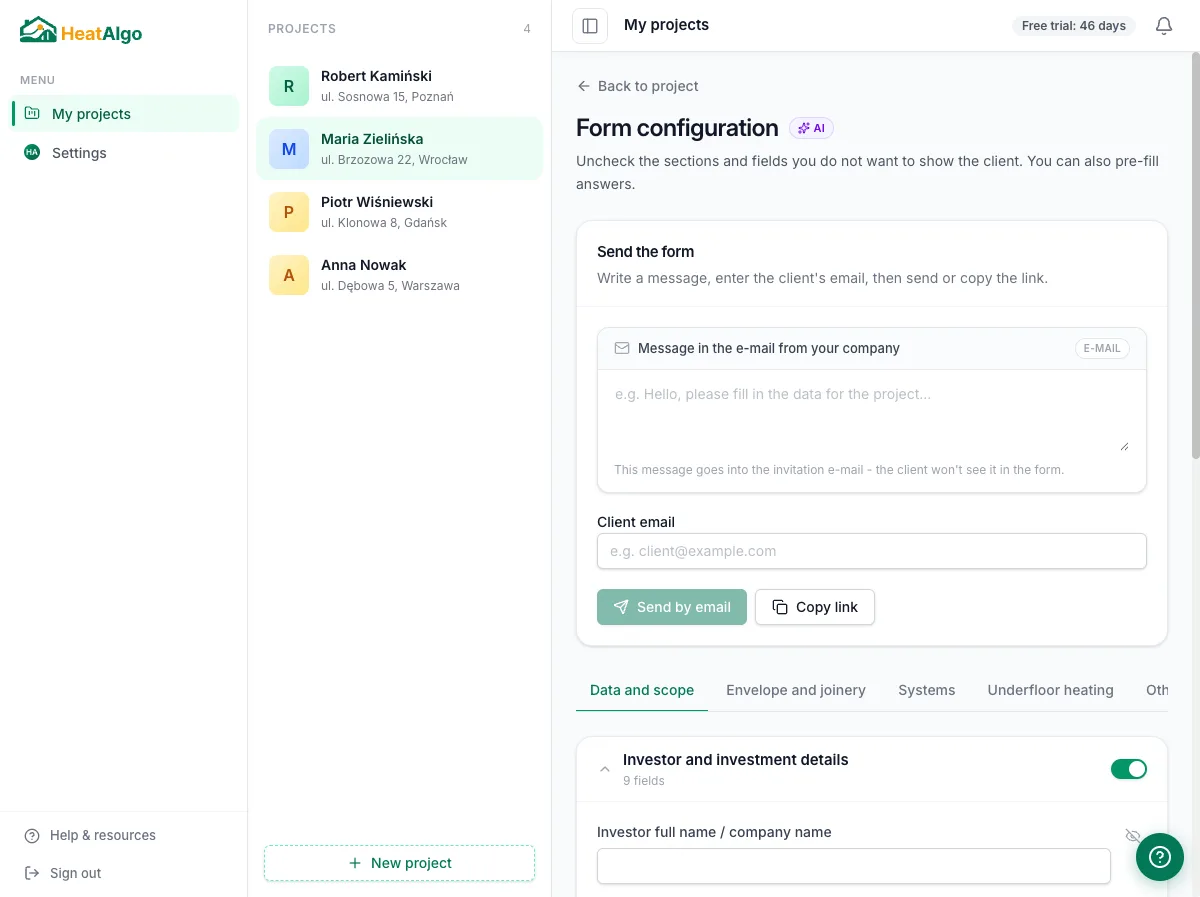
You create a form in the project and send the client a link by email, or simply copy it - to share by text message or WhatsApp.
The second path
Building design, window and door schedule, energy performance certificate - if you have them at hand, read them in a conversation with the AI assistant, right in the project. The assistant reads the data and proposes values for you to review.
Paste text or add files in the assistant's window - the building design, the window schedule or the energy performance certificate go straight in for reading, no form sent to the client.
The assistant reads values from the documents and shows them as suggestions to review. You approve only the ones you accept - fields with no backing in the documents stay empty.
Approved values fill the heat loss fields, and after the calculation they feed the preliminary heat pump sizing.
AI only proposes values for the form - the heat loss is always calculated by the algorithm, per EN 12831-1. Uploaded documents are kept only for the reading and deleted automatically after 24 hours.
Privacy
Documents you load in a conversation about a project are read in the background by an AI model, and the files are deleted automatically 24 hours after the reading starts. Only the floor plan of a storey you approve stays - as the plan in the project.
AI never guesses. If it can't find an answer in the materials provided, it leaves the field empty instead of making up a value.
“Documents are read by an AI model on OpenAI's platform in the United States, reached through OpenRouter, solely to read data from them. The files are deleted automatically 24 hours after the reading starts, and its result after 30 days at the latest. Suggested values always require your confirmation.”
You will find the details in the privacy policy, section 4.
No sign-up and no password. The client opens the link on their phone or computer, answers save themselves, and they can stop and come back later.
FAQ
No. The client opens the form from a link, fills it in and submits it - no registration, no password.
You send the form back with a request for specific fields - the client gets a link to the same form, they don't start over.
No. AI only proposes what it actually finds in the documents provided. If something isn't there, the field stays empty - you fill it in yourself.
Yes, AI document reading has a limit on the account. Once it's used up, you fill in the fields by hand - the form and the calculations work as normal.
Copy the link with one click and share it however you like, for example by text message or WhatsApp.
Yes. If you have the building documents, read them in a conversation with the AI assistant right in the project - the assistant proposes values, and you approve only the ones you accept.
For example the building design, the window and door schedule or the energy performance certificate. AI only proposes values it actually finds in the documents - the heat loss is always calculated by the algorithm, per EN 12831-1.
Sign up, create a project and send the client a link to the form - the client and your approval do the rest.