
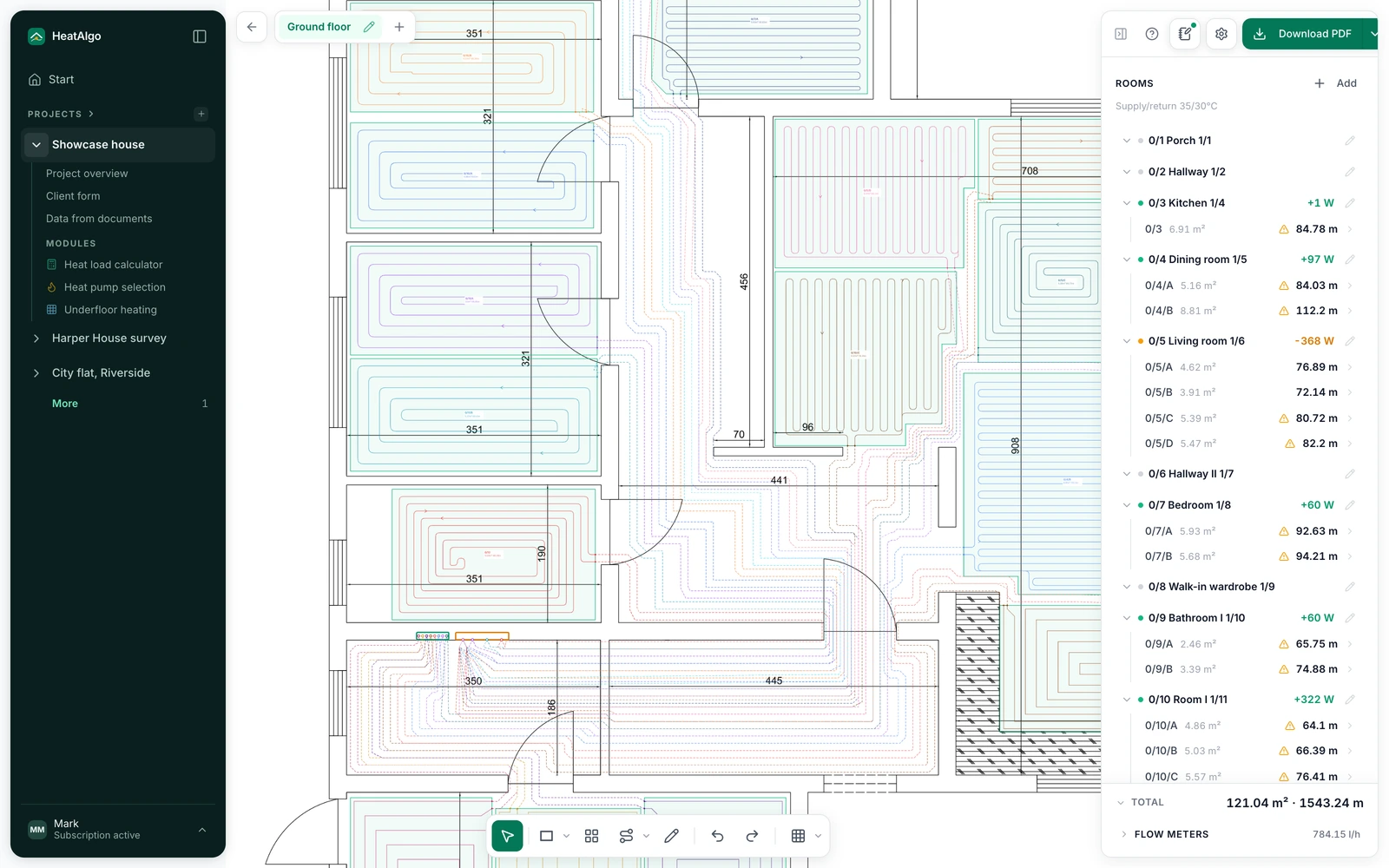
Drop in the architect's file and work directly on the existing plan, no redrawing. Handles PDFs and plain photos of the floor plan.
Product
Algo AI, the assistantAIReads documents, answers, checksHeat loss calculatorHeat loss per EN 12831-1Heat recoveryBetaAir flows and balance to PN-83/B-03430Underfloor heatingLoop design on the floor plan with calculationsHeat pump selectionPreliminary power sizingClient formClient data without phone callsUpload your plan. AI proposes the loops, the engine calculates them to EN 1264, and your installer can check every figure in the PDF.
A heating design commissioned from a UK consultant typically costs £150-800 and takes days (published prices, October 2026).
In the US? Read this page in US English
Calculated in HeatAlgo
For 33 years I calculated all of this more slowly. Now the client's data comes in by itself, and I have the heat loss calculation and the underfloor heating done in one afternoon.
 Jarosławinstaller with 33 years of experience, co-creator of HeatAlgo
A printable pipe layout with the calculations behind it.
Printable plan and PDF · €29 incl. VAT · one project
Create an account, prepare your project, then buy the report in the app.
A whole-project report unlocks all modules in one project, and the report, the scaled plan and the bill of materials download together as one ZIP file - the report and the bill of materials on a phone too. A report for this module alone from €19. You provide and approve the inputs; HeatAlgo calculates them. This is a self-service tool, not an engineer preparing a design for you. A HeatAlgo report is not an MCS heat loss calculation.
What to prepare before asking for a quote →Sample files
An example house, real files from the app - the same as yours.
What it is
The underfloor heating module in HeatAlgo is browser-based underfloor heating design software: zones, loops and thermal calculations on the building's floor plan, for installers and homeowners. Drop in a PDF or image from your architect, calibrate the scale in two clicks, and draw the pipe layout with automatic calculations.
What you design, what you need, what the PDF report contains - and what the software does not do.
Heating sections and loops on your floor plan, pipe spacing, the manifold and the runs to it. The module works out loop lengths, flow rates and floor output to EN 1264.
A plan of each floor (PDF, JPG, PNG, DWG or DXF) and one dimension you know, to set the scale. Each room's heat demand comes from the heat loss calculation or is typed in watts.
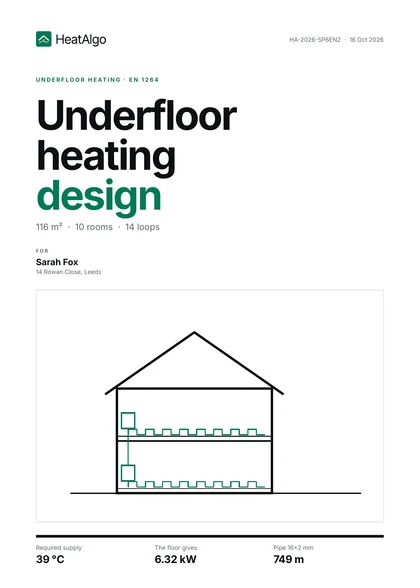
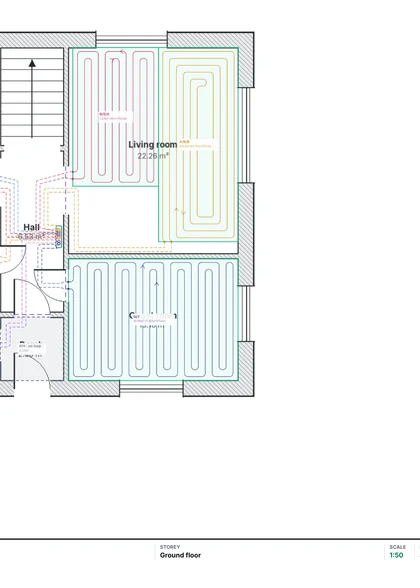
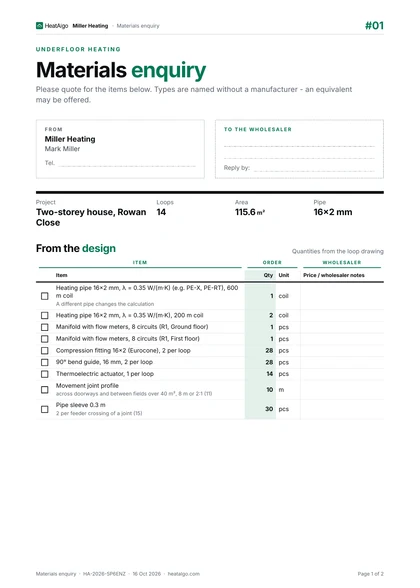
A scaled plan with the loops, loop lengths, pipe spacing and flow rates, a flow meter table for each manifold, and the floor output beside each room's heat demand. A separate PDF is the bill of materials for the wholesaler: pipe coils with a cutting plan, manifolds, fittings and accessories.
You, if you are building or renovating a home and want to prepare a design before asking for quotes, or check the one your installer sent.
It is software, not a design service: nobody visits the site or signs the design off for you. You enter the inputs, HeatAlgo calculates, and your installer reviews the result before work starts.
Without a tool the pipe layout is sketched on paper and the pipe length estimated in someone's head. An error there means buying too much pipe or too little, wrong spacings and cold zones in the floor. The cold zones only show up once the heating runs, when the pipe is already under the screed.
Underfloor heating twice: once with the sections drawn by hand, once drawn by Algo AI from the house plans, heat loss first. Both end with the loops, the manifold and the report. The same module described below.
All recordings →English narration, subtitles in ten languages
You draw the sections
The AI draws the loops
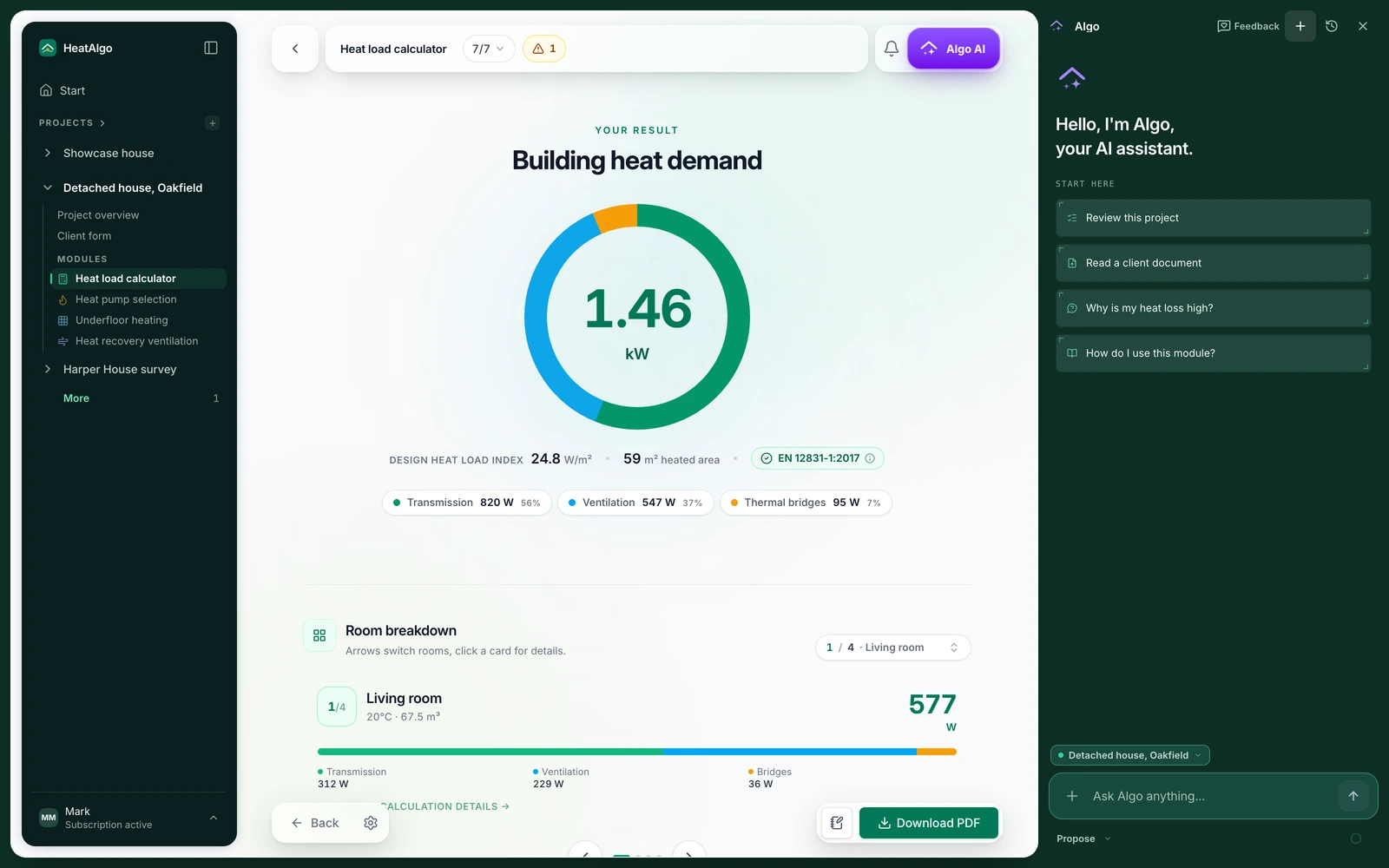
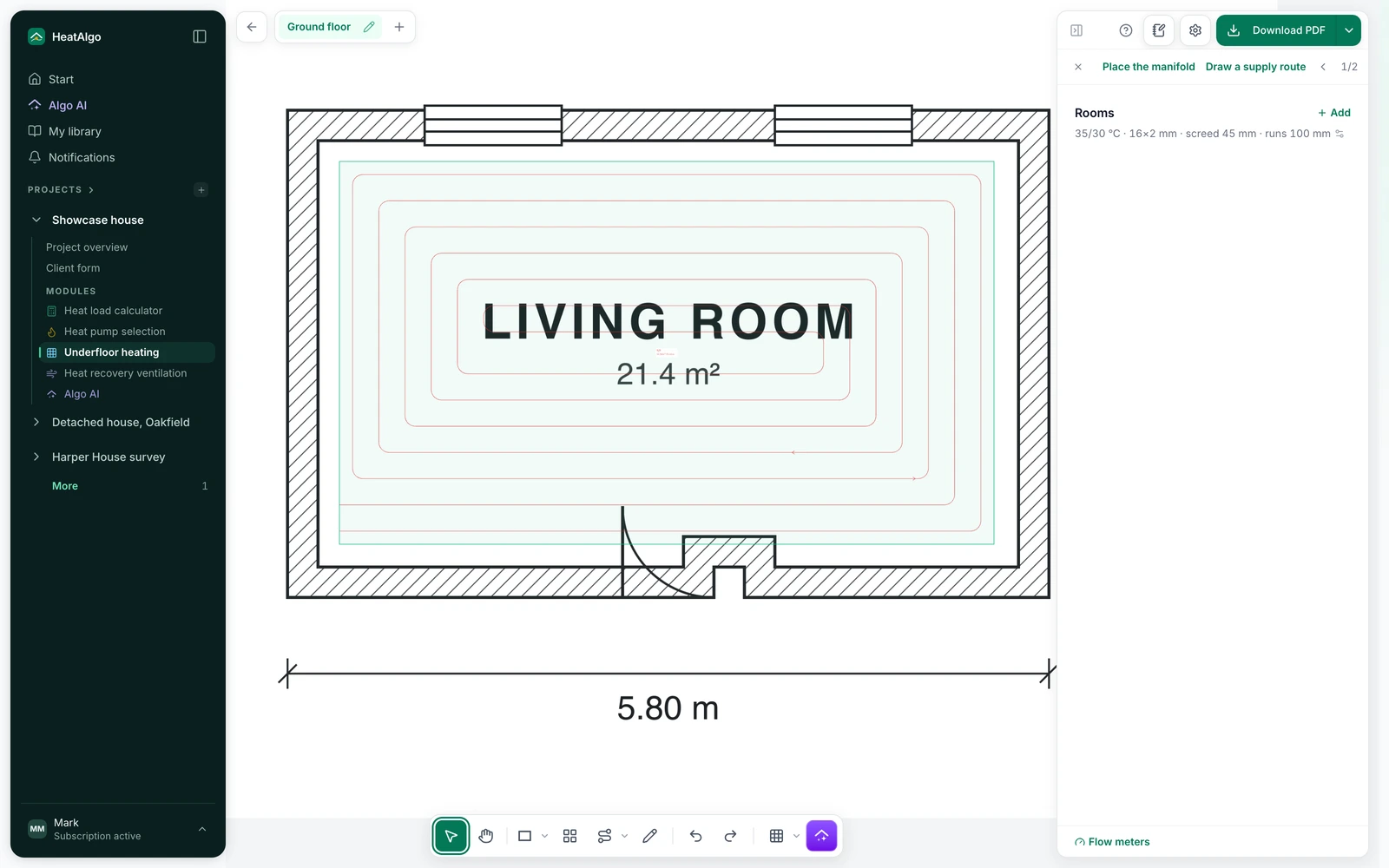
Ask Algo AI what a setting means or how to read a result. It uses your project data to explain the next step. You review its suggestions; the underfloor heating module performs the calculations to EN 1264.
Meet Algo AI →What spacing in a 6 m² bathroom if the heat loss is 480 W?
THINKING480 W over 6 m² is 80 W/m² - the upper end for underfloor heating. Start at 10 cm spacing and a 40 °C supply: the module works the zone's output out from the covering, the temperature and the geometry, and the room's screen shows whether it covers the loss. If not, raise the supply or add a towel radiator.
Drop in the architect's file and work directly on the existing plan, no redrawing. Handles PDFs and plain photos of the floor plan.
The report with the calculations for your client, the plan to scale for printing and the bill of materials for the wholesaler with the coil cutting plan and your logo - three PDFs, downloadable together as one ZIP. Every room without a loop gets its own page in the report with the runs crossing it and their length. One project report unlocks them.
AI reads the rooms, doors and windows from your plan, and the scale from its dimensions or printed room areas - it asks only when the plan has neither. The engine, with no AI model, then draws editable sections with pipe layouts, places a manifold on a floor that has none and routes the runs to it through the doors. You review the outlines it flags, the areas it left without sections and the missing engineering inputs. One generation per account is free. The first read of a plan spends it, not Apply: a few corrections and retries of that draft ride on it, and applying the draft costs nothing more. A read that produces no proposal, or a request discarded before any read, gives it back; a draft previewed and discarded, or a read stopped once it has started, does not. Further generations need an active subscription or the project floor-plan access window. Up to 6 starts per hour and one running request protect availability. Exports follow their existing access rules.
Computed for six room sizes - the loop drawing, the pipe length and the floor output.
A printable heating plan and PDF report for €29 incl. VAT, ready to discuss with your installer. One payment covers all modules in your project.
Create an account, prepare your project, then buy the report in the app. Editing is never limited. New PDF versions for 7 days from each module's first download.