

Three changes lead this release. You can now get an underfloor heating layout from one request: Algo AI reads the floor plan, and the app lays out the loops, supply routes and manifolds. The app, the reports and the e-mails speak five languages: Polish, English, German, French and Dutch. And every PDF report has a new print design.
On top of that come dozens of smaller changes, many of them asked for by installers, in the heat loss calculation, heat pump sizing, heat recovery ventilation and underfloor heating. Here they all are, module by module.
New features
The whole app
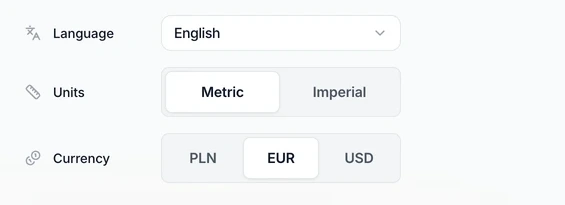
The app in five languages. The interface, the PDF reports and the e-mails now come in Polish, English, German, French and Dutch. You change the language in Settings, on the "Profile" tab, or in the account menu. When you sign up, the app picks it from the version of the website you came from. More in settings: profile, logo and notifications.
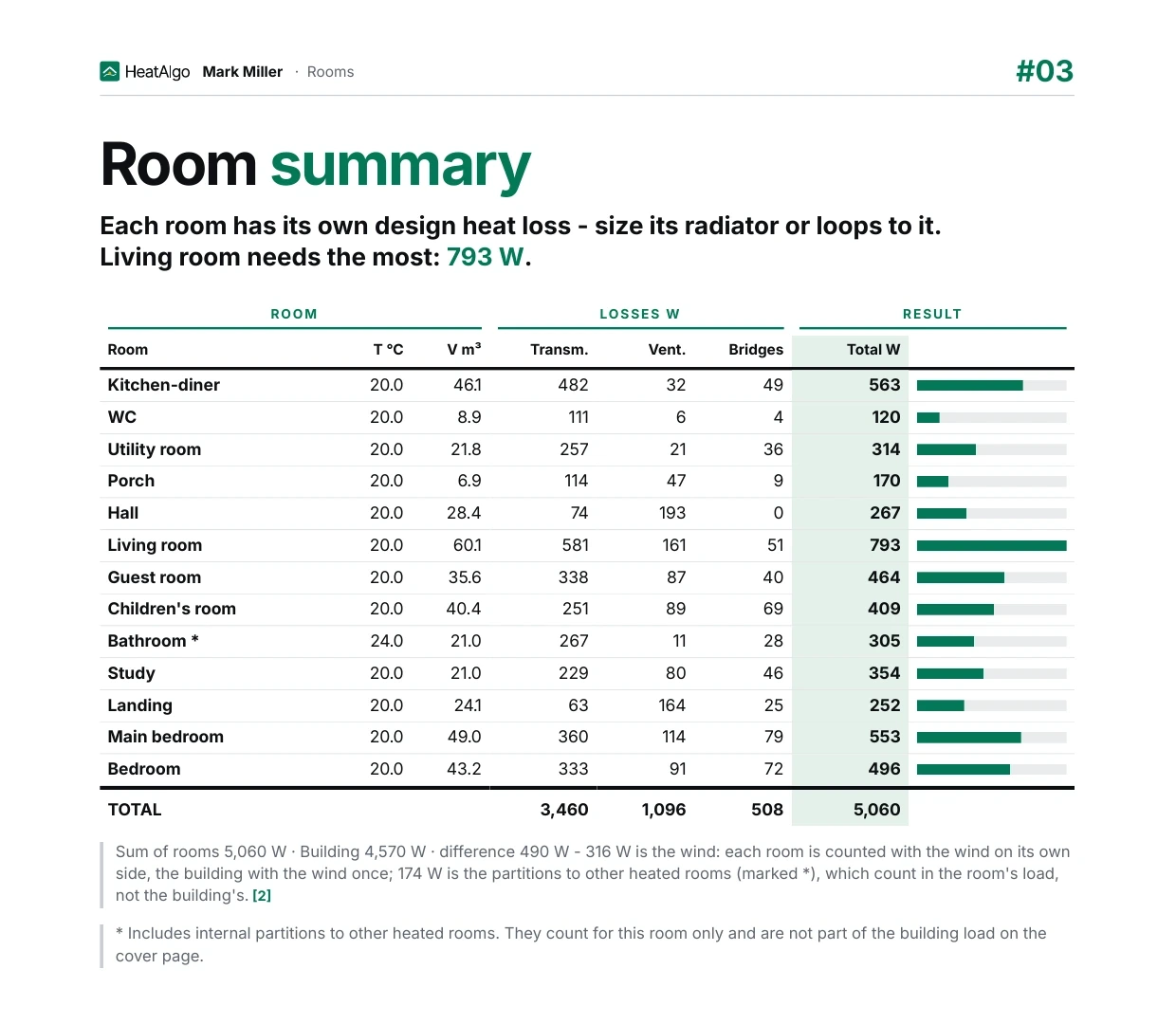
PDF reports in a new print design. All eight PDFs - heat loss, heat pump, ventilation, underfloor heating, the bill of materials, the cost estimate and both floor plans - share one look. The reports print on white A4 pages. Tables are grouped, each formula names the clause of the standard it comes from, and the last page lists the standards the calculation follows. What each report holds is in PDF reports and the printable floor plan.
Algo AI
- Algo sees the results. It knows each module's result and findings exactly as the screen shows them on your plan, so it talks about the same numbers you see.
- Import from a ready source. On the start screen of an empty heat pump sizing or ventilation module, when the project has a ready heat loss calculation, choose "Import the heat loss calculation with Algo" (Algo then asks for what is missing) or "Import without Algo". On the start screen of the heat loss calculation, when the client has sent the form back, the button is "Import the client form with Algo".
What else the assistant can do is in Algo AI in HeatAlgo.
Heat loss calculation
- A "Ground" section on step 2. You enter the groundwater level and the floor's average depth below ground (z) once for the whole building. A floor can override the depth z, and an empty floor shows the building's value in grey.
- A warning for a warmer room. A room at least 2 K warmer than the rest of the house, with no building element to a colder neighbour, gets a finding. The catalogue gains thin partition walls: aerated concrete 8 and 12 cm, sand-lime 12 cm and plasterboard on steel studs.
- Timber-frame constructions. The catalogue has cellulose, gypsum fibreboard and two ready build-ups: a wall and a ceiling under the attic. You can add your own material to the list, and a new ceiling or floor starts with the room's area.
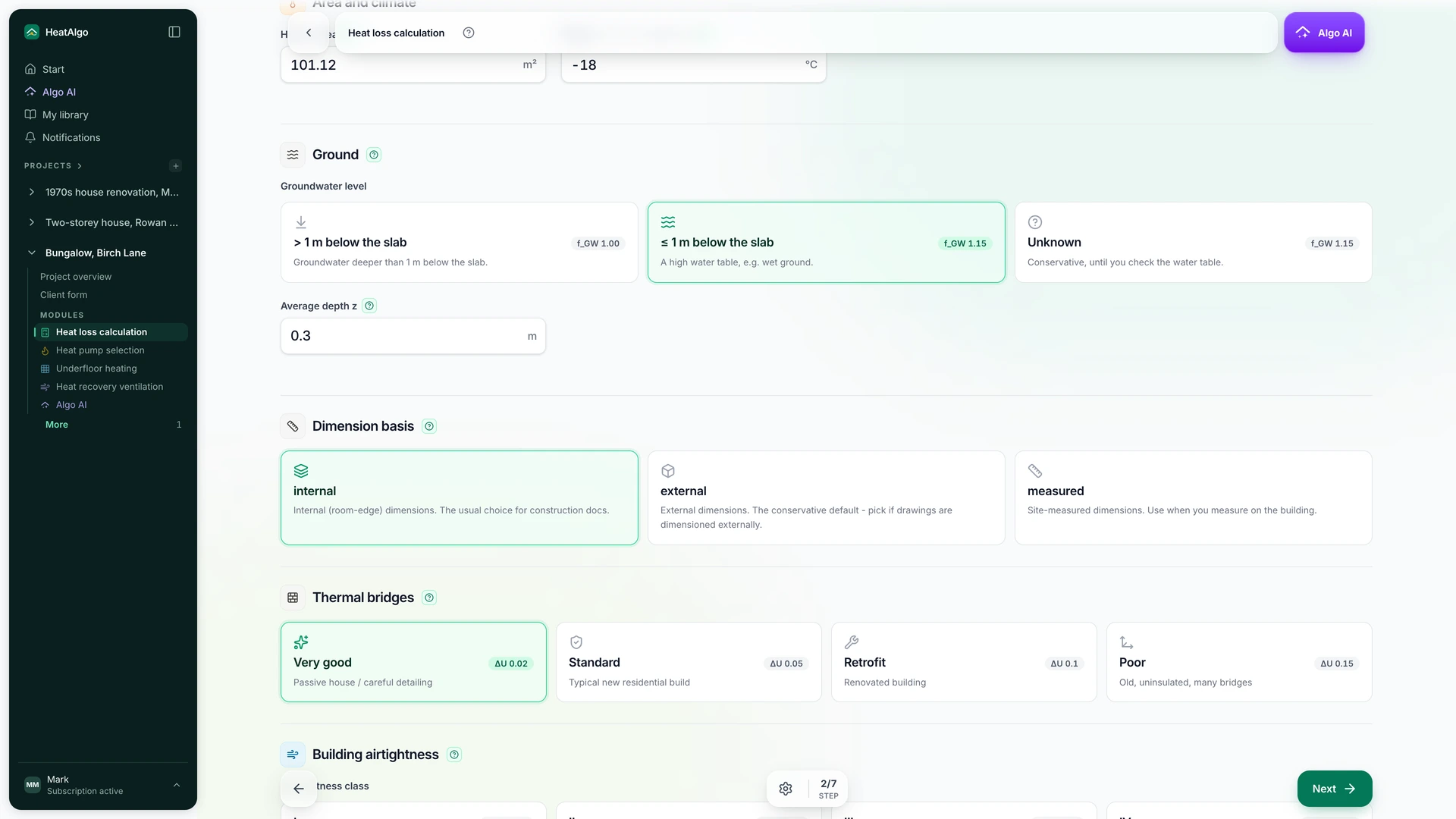
The whole module, step by step, is in heat loss calculation: how to use the module.
Heat pump sizing
- A ready heat loss calculation shows as a number on the gear. When the project has a finished heat loss calculation the heat pump has not taken yet, the module's settings icon shows a number. "Data sources" asks before it replaces the floor area.
More in heat pump sizing: how to use the module.
Heat recovery ventilation
- A room form by room kind. You pick the room kind on tiles first, then answer only the questions for that kind. Values you rarely change sit apart, in a grey overrides block.
- Duct editing. Drag points and bends with alignment guides. A double-click adds or removes a bend, and Ctrl+Z undoes it. Turn the intake and the exhaust with a handle, the O key or the "Direction" field.
- The intake and exhaust rules (WT § 152) as numbers or ticks. Enter the distance, or tick "Met (at least 2 m) - I will check it on site". An unticked condition is a finding, and the report lists it as something to check on site.
- Duct family. For each run, choose spiral, EPP or flexible duct. A flexible run is several parallel Ø75 or Ø90 pipes. The bill of materials and the plenum boxes follow the family.
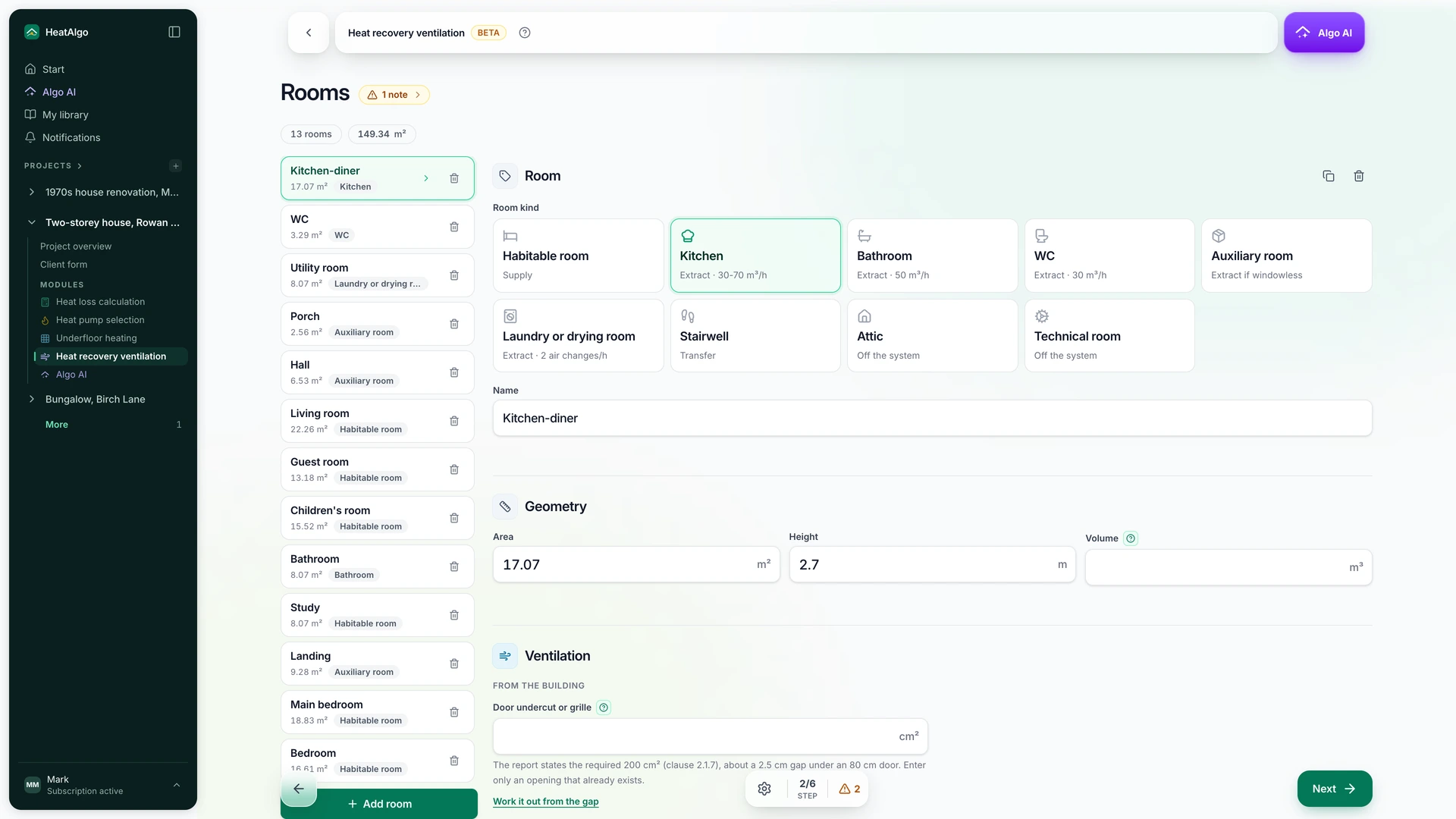
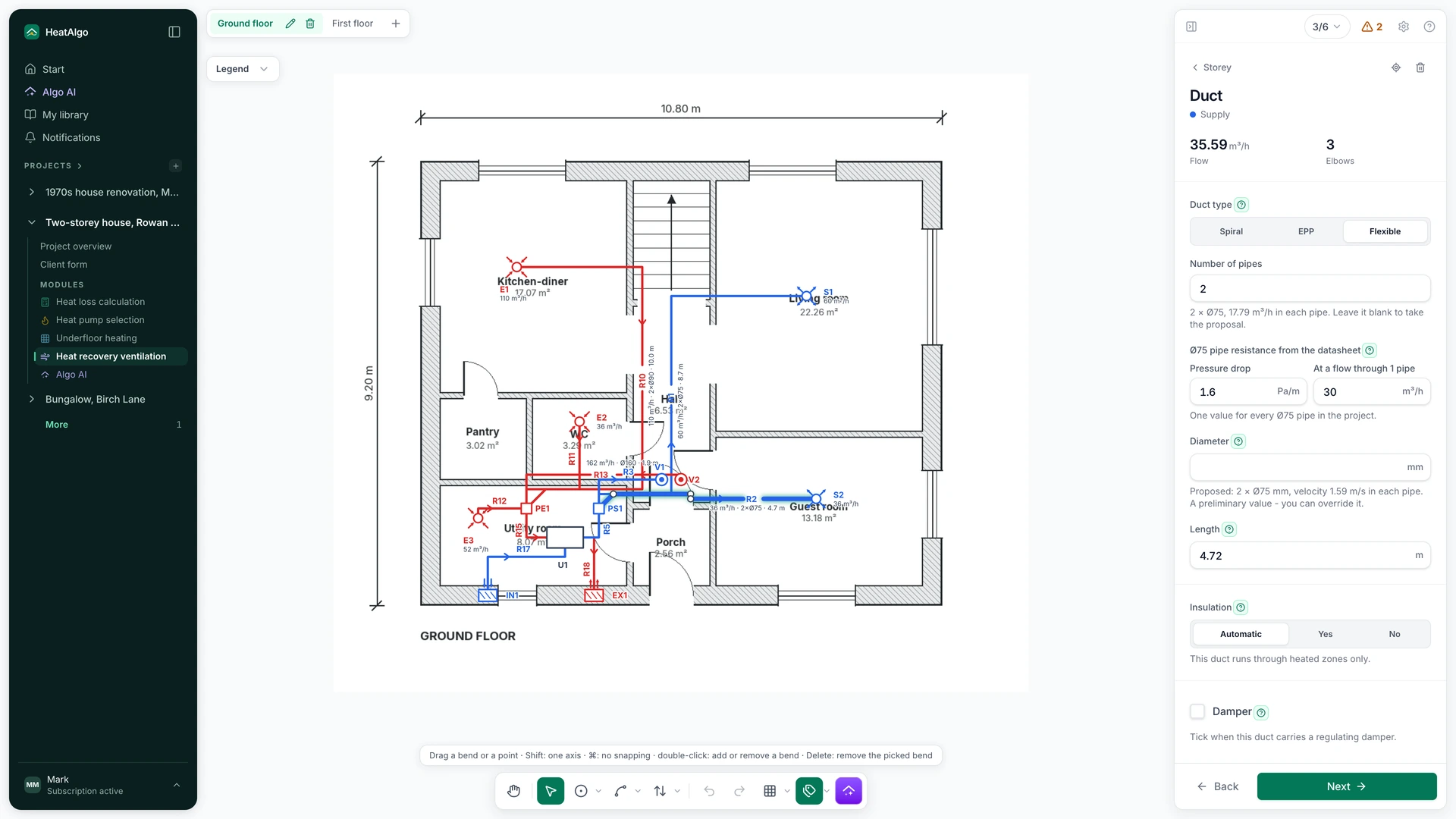
The whole module is in heat recovery ventilation: how to use the module.
Underfloor heating
Automatic drawing. Algo AI reads the rooms, doors and windows from the floor plan. The app runs each supply route the shortest way to the manifold, works out the pressure drop of every loop, splits large rooms, adds edge zones along windows where the floor alone is not enough, adds movement joints and looks for the lowest supply temperature. It takes the scale from the dimensions on the plan or from the room areas printed on it. On a storey with no manifold it places one itself - one per 14 loops - and you can move it.
-
Section editing like a drawing program. A section has handles at its corners and on its walls, and right angles stay right. Shift locks an axis, Ctrl turns snapping off, and pink alignment guides and wall lengths show as you drag. The supply route stays put when you reshape the section.
-
Material over the pipe. Choose cement screed, anhydrite screed or concrete (λ from EN 1264-2, Table C.1). Each loop shows its mean floor surface temperature next to the limit: 29 °C, θi + 9 K in a bathroom, 35 °C in the edge zone.
-
Rooms without a loop in the report. They go on a separate page of the report. In a table, each one has the area, the load from the heat loss calculation, the supply routes crossing it with their metres, and a verdict - needs a loop, unheated, or no load. The "Heating loop" switch on a section draws a floor with no loop.
-
The edge zone on the walls you pick. Turn it on in the drawing (click the band along a wall) or in the panel's list of walls, at a depth of up to 1.0 m. The result counts the zone at the 35 °C limit.
-
Three outputs, the water in the pipes and flow meters by manifold. The screen and the report tell apart the output to rooms with loops, the heat in the water at the manifolds and the building's heat loss for sizing the heat pump. They also give the litres of water in the loops and supply routes. The flow meter table is split by manifold, in port order, with a room column - on screen and in the PDF.
-
A scale bar on the PDF floor plans. The report and the print plan carry one.
-
A manifold sized by its ports. "Port count" takes 2 to 14, and the manifold's length follows its ports (50 mm a port plus 150 mm). Turn it in quarter turns with a handle, the O key or the "Direction" field.
-
Removing a bend from a supply route. A double-click on a bend, or picking it and pressing Delete, removes just that bend.
-
Labels that keep one size. Supply route lengths and room names stay the same size on screen. Zoomed far out, they shrink to 70% at most.
How to draw underfloor heating step by step is in how to use the underfloor heating module.
Improvements
The whole app
- Two decimal places. The room area field and the screens no longer round 12.35 m² to 12.4.
- New e-mails. Every message from the app has a new design and arrives in your account's language.
- Clear about what the preview shows. Each lock in a module says what you see in the free preview, and what the full results and the report add.
Algo AI
- Replies in the language of your message. A question in German or Czech gets its answer in that language, and a room name in the message does not switch the conversation's language.
- More reliable document reading. A page that reads too slowly drops out on its own, and the rest of the reading stays. The "values ready to put in" counter says how many values Algo will really write. A λ value never lands in a U field, and "Warsaw" is read as Warszawa.
Heat loss calculation
- The room order is dimensions, building elements, ventilation.
- An empty ground floor perimeter works itself out from the external walls and the walls to unheated spaces of the rooms on the ground (EN 12831-1 Annex E, EN ISO 13370). You see the value in grey in the field.
- A ground note in the report. The PDF says how the floor on the ground was calculated (U_equiv, f_θ,ann, f_GW) and gives the building's B′ where a floor uses it.
- No ΔU_TB on a floor on the ground (EN 12831-1, Formula (8); U_equiv per EN ISO 13370). The reference house now comes to 4.38 kW instead of 4.59 kW.
- Step 4 is "Project constructions". It shows only this project's constructions. The "Also save in My library" switch adds a copy to your library.
Heat pump sizing
- Hot water from the daily energy. The domestic hot water allowance comes from the number of residents (about 0.087 kW a person), not from the coil's power.
- No needless fields after an import from the heat loss calculation. Insulation, ventilation and room height leave the screen and the PDF.
- The electricity price with a "Default - national average" tag. You see where the price comes from and can go back to it.
Heat recovery ventilation
- The door undercut in the report. For each room the report states the required undercut (80, 200 or 220 cm²).
- One "Number of residents" for the dwelling. An empty field takes the sum of the rooms.
- Errors only when you ask. Nothing is red at the start. "Next" checks the step you leave, and "Result" shows every blocker.
- Downloads always through a menu. "PDF report" and "Duct layout" each come with a description, or the reason they are still waiting.
Underfloor heating
- A tiled bathroom at Rλ,B 0.05, every other room at no less than 0.10. Each floor covering option shows its design value.
- Bathroom floor temperature limit θi + 9 K (EN 1264-3, 4.1.1.4).
- Flow meters show the design flow only. The "flow too low / too high" warning, which had no source in the standard, is gone.
- Each finding said once. Causes that concern the whole project sit in the strip above the room list - with a button that sets supply and return together. Every screen describes findings the same way.
- Downloads always through a menu. "PDF report", "Print plan", "Bill of materials" and "Download everything (ZIP)" - each row with a description.
- Room names keep up with the heat loss calculation when you import again. Names you changed by hand stay unless you confirm the change.
Answers to common questions about the module are in the underfloor heating FAQ.
Fixes
The whole app
- Autosave without a false conflict. When the browser retries a save on its own, you no longer see a conflict. In the heat loss calculation, heat pump sizing and ventilation, a real conflict shows a bar that stays, "Changes are not being saved", with a "Save my changes" button. What to do when you see it is in troubleshooting.
- Ctrl + mouse wheel zooms the same way in every browser. Firefox on Linux no longer jumps to the minimum zoom.
Algo AI
- Generation after "Reset project". In underfloor heating, a new generation works straight away, with no page reload.
Heat loss calculation
- Four fixes from a customer's report. Rooms no longer come back after a rename, switching rooms quickly no longer loses an edit, n50 next to the airtightness class works, and supply and extract air no longer add up.
- The step reaches the Algo column, with no empty margin on the right.
Underfloor heating
- A supply route point by the wall. A point drawn next to a room's wall lies along the wall, not on the nearest grid point.
- Flow meters count every loop you draw and say why a loop has no flow (a room with no load).
- One Escape closes the flow meters.
Questions about any of this?
Visit the help center or write to us straight from the app: open the account menu and choose "Email us". We usually reply within 24 hours. Sign-in and password questions are covered in account, sign-in and password.