

Thanks for designing with us. The last two weeks brought the biggest set of changes since HeatAlgo launched: two new tools, a new results screen in every module, and drawing with your finger on an iPad or a phone.
The highlights:
- Second opinion - a contractor's heat pump bid next to the heat loss of your own house.
- Radiators - the fifth module: will your radiators heat the house at a low supply temperature?
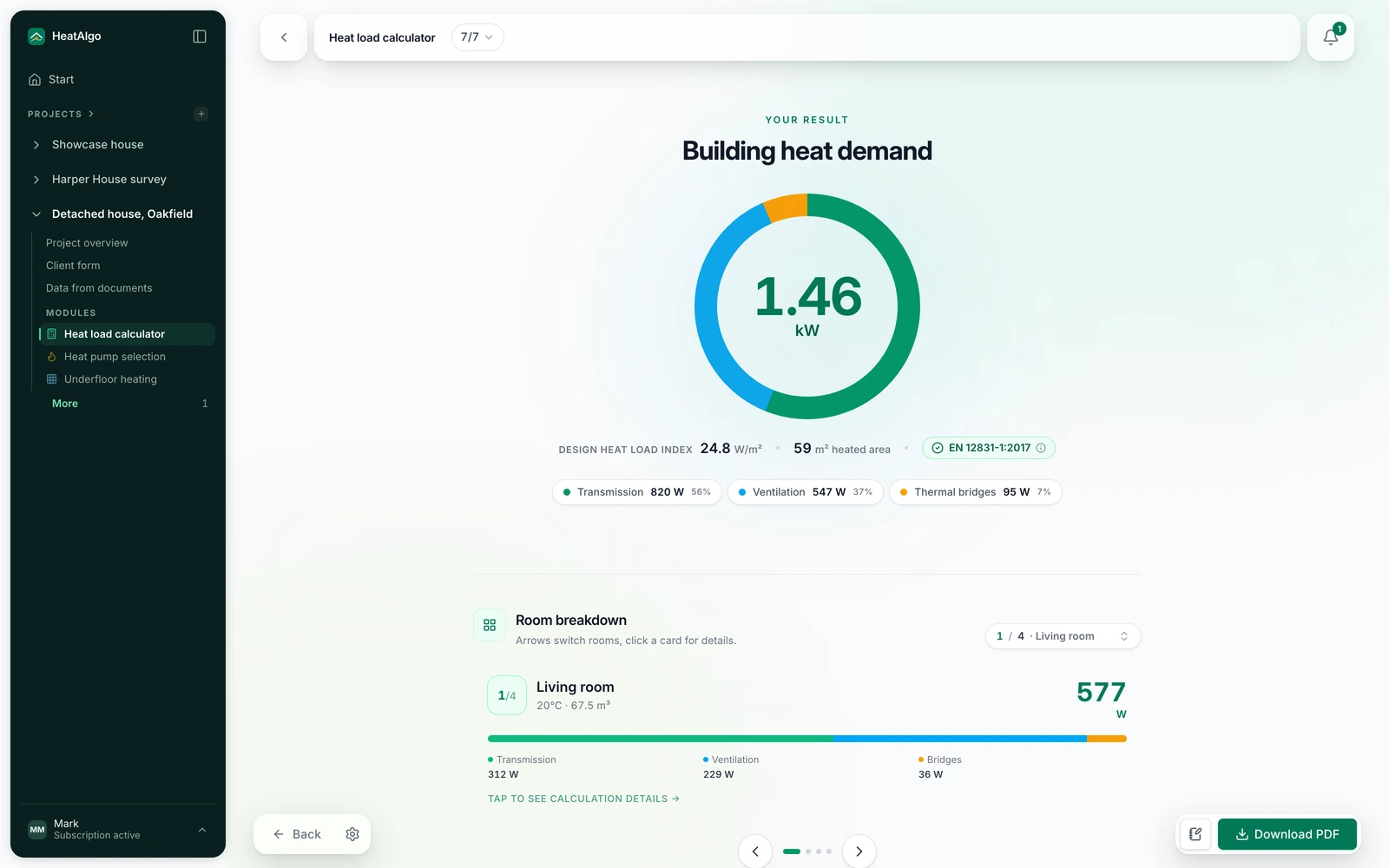
- Termogram - every module's result as a heat map of the rooms.
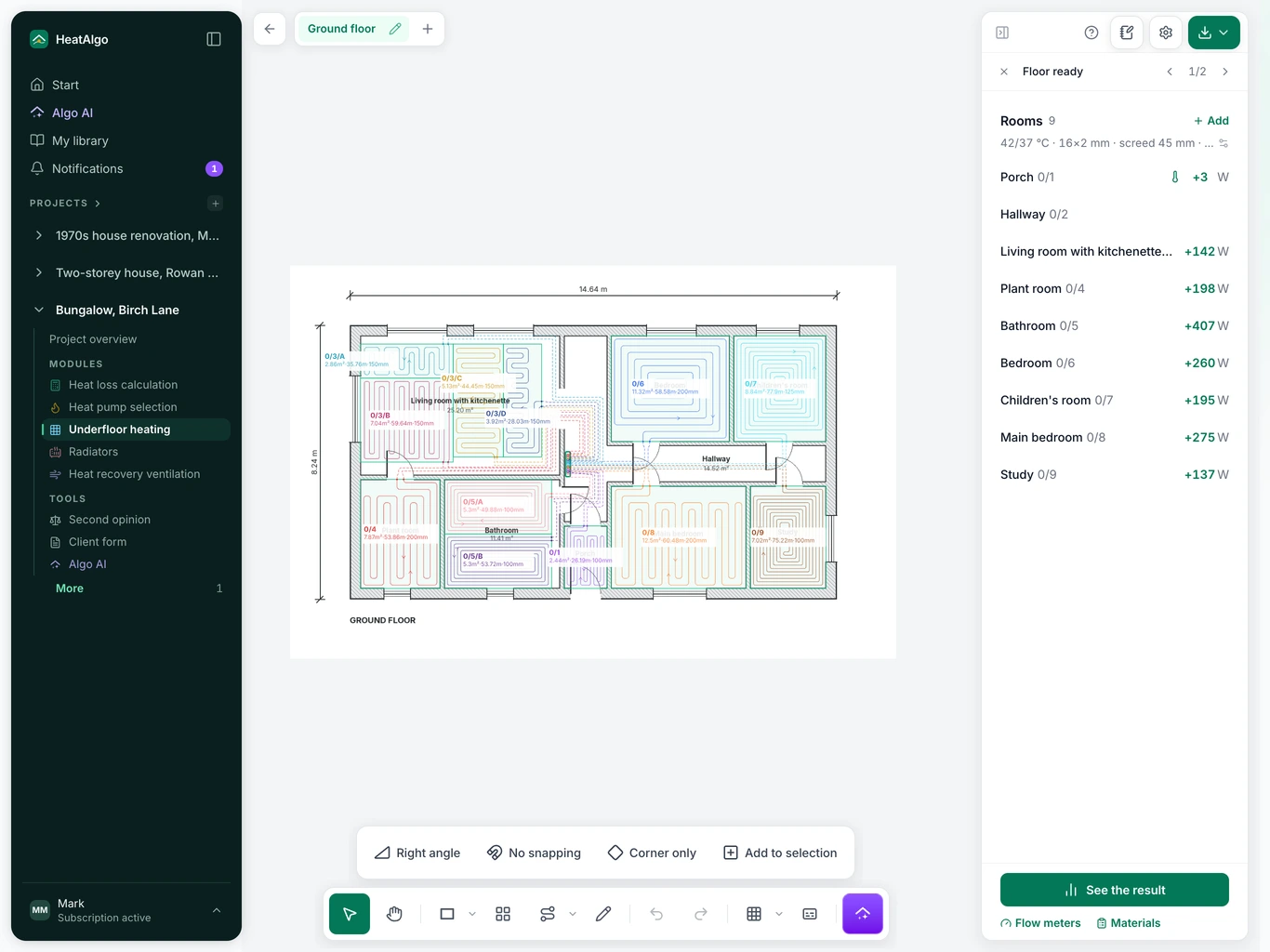
- iPad and phone - draw with a finger, zoom with two.
- The PDF report three ways: Full, Simple or Custom.
New features
Second opinion: check a heat pump bid
Got a heat pump bid? Put it next to your house. "Second opinion", under "Tools", lines up as many as three bids against your house's room-by-room heat loss calculation (the European standard EN 12831-1). It breaks the difference in capacity into the assumptions the bid states, the safety margin the bid states and whatever is left, and turns each gap into a question for the contractor. It doesn't grade the bid or the contractor - it gives you a conversation built on numbers.
Upload the bid as a PDF or a photo and Algo AI reads the figures (we black out the contractor's details before the model sees them), or type the figures in yourself. The heat loss report gets a "Questions about the quote" page.
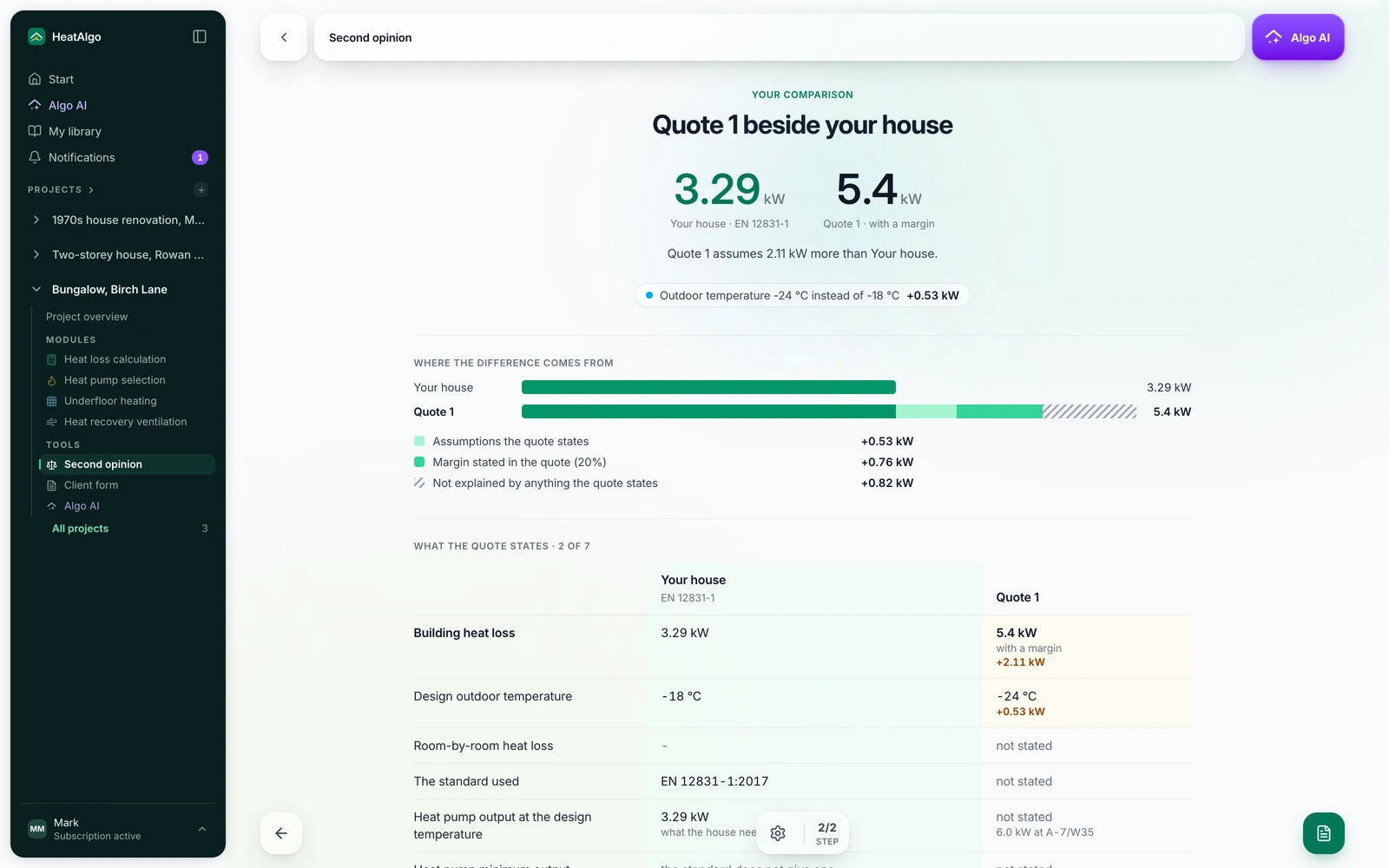
More on the Second opinion page, and step by step in the guide.
Radiators: the fifth module (beta)
Will your radiators keep up with a heat pump? Enter the radiators in each room - or let Algo AI read them from text, from a heating design's schedule or from a photo of the radiator. HeatAlgo checks every room against its heat loss and tells you the supply temperature that heats the house, which rooms need a bigger radiator and what to replace it with.
For contractors and designers, the module sizes a two-pipe system: pipe sizes, pump head and the Kv each valve needs. You download a PDF report, a materials list (PDF and Excel) and drawings as PDF and DXF. Heat pump sizing reads the same radiators.
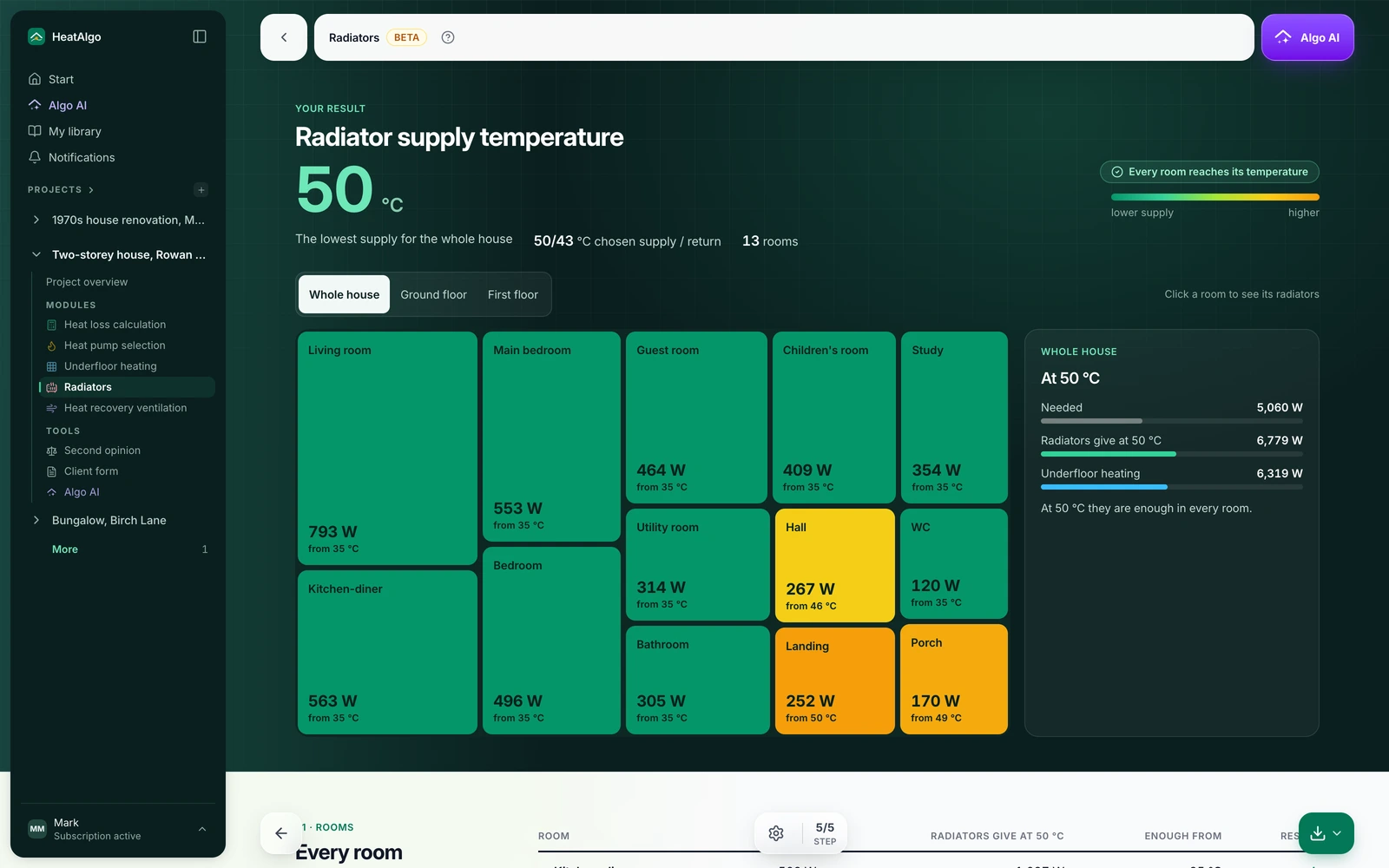
See the Radiators page and how to check radiators. How Algo reads a radiator from a photo is in radiator from a photo.
Termogram: a new results screen in every module
See at a glance where the house loses the most heat. Results for the heat loss calculation, heat pump sizing, ventilation (HRV) and Radiators now open on one shared screen. Every room is a tile: its size is the room's load and its color shows how it compares with the rest of the house. Click a room and the panel next to it shows where the number comes from. Below, the sections follow the pages of the PDF report.
Radiant floor heating gets its own result view: the supply temperature, each loop's output and the floor surface temperature. Open it with "See the result" under the panel.
Draw with your finger on an iPad or a phone
Adjust a radiant floor or HRV layout on the jobsite, tablet in hand. Pinch and drag with two fingers to zoom and move the plan, and press and hold to open the menu a right-click gives you on a computer. On an iPad, switches above the toolbar stand in for the keys: "Right angle", "No snapping", "Corner only" and "Add to selection". The Apple Pencil is never confused with your palm resting on the screen.
On a phone, the plan fills the width and the results panel slides up from the bottom. Every gesture is listed under "Touch screen" in the help behind the question mark on the plan.
PDF report: Full, Simple or Custom
One project, two reports: one for the crew, one for the homeowner. The report button in every module opens a "PDF report" window with three versions. "Full" has everything. "Simple" is the homeowner's copy, without the installation detail. "Custom" walks you through it: pick the pages, then the table columns (and the floors, for radiant floor heating). The results the standard requires, such as each room's design heat loss, are in every version.
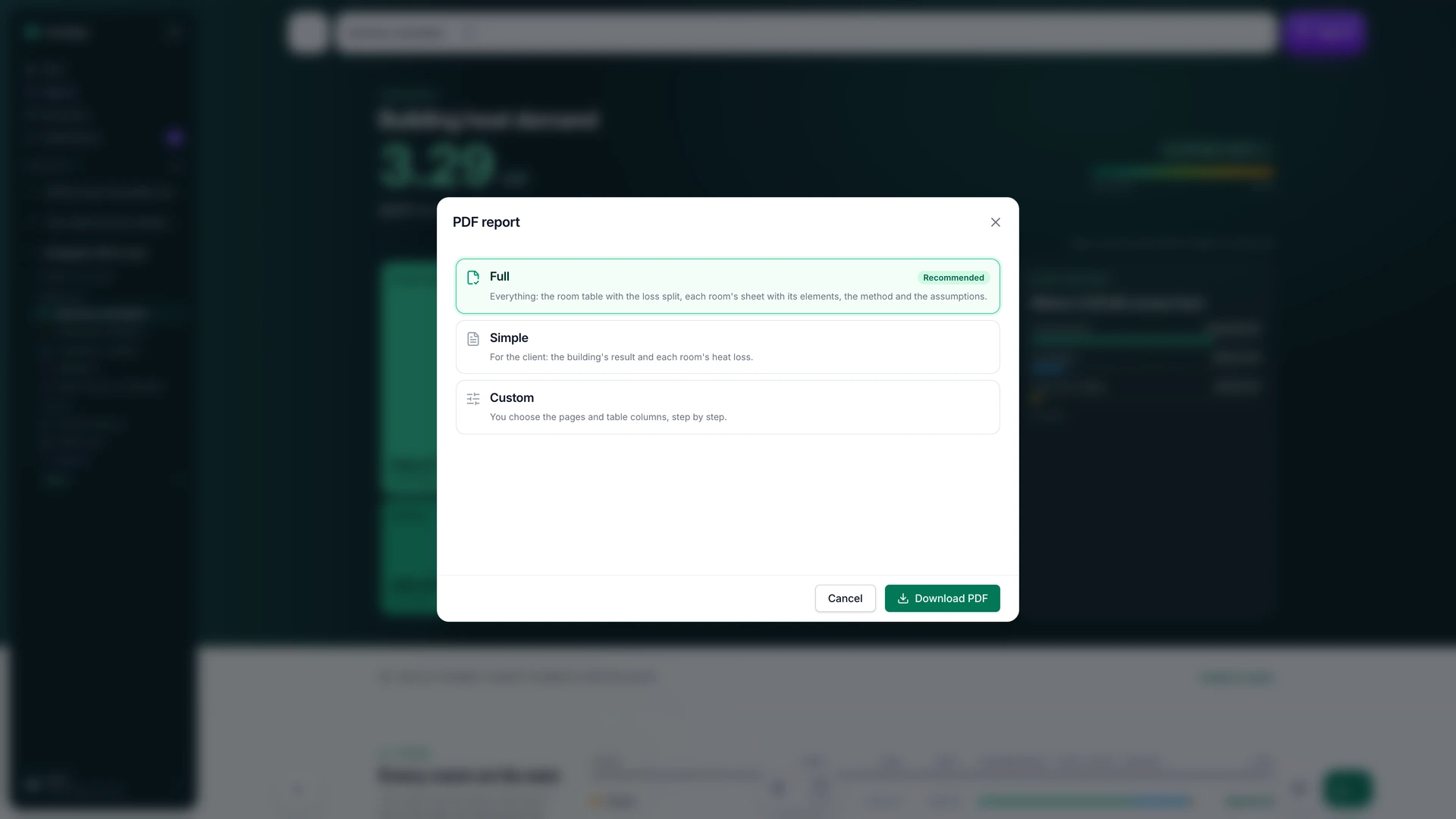
What each version contains: PDF report: full or simple.
Improvements
- Radiant floor heating across the whole floor. When Algo AI lays out radiant floor heating from a plan, a room missing from the heat loss calculation is no longer left empty: it gets loops at 8 in (200 mm) on center and a gray "not in heat loss" label. Add it to the heat loss calculation and the spacing follows the room's load.
- HRV: branch straight off a duct. Start a new duct by clicking on an existing one and the tee goes in for you. One Ctrl+Z undoes both.
- A video tutorial next to the Guide. At the start of radiant floor heating and the heat loss calculation, top right, a video walks through the module step by step.
- A new home page. It shows what most people come for: radiant floor loops drawn on a plan and a sample PDF report you open in one click.
For contractors
The subscription: $39 a month, tax included. One plan with every module and unlimited projects. Details on the pricing page.
Questions about any of this?
Visit the help center or write to us straight from the app: open the account menu and choose "Email us". We usually reply within 24 hours. The earlier October changes are in the first update this month.
A HeatAlgo report follows EN 12831-1 and EN 1264, not ACCA Manual J, and is not accepted for permits or rebates.